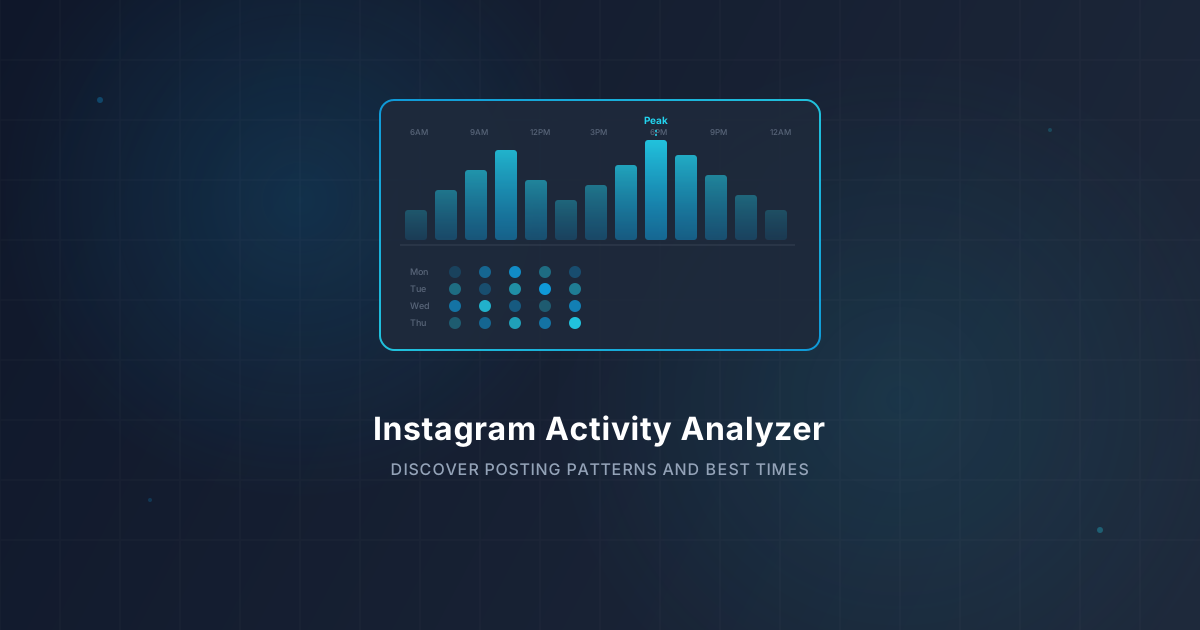
Instagram Activity Analyzer — Uncover Posting Patterns & Peak Engagement Times in 2026
Discover how to analyze Instagram posting patterns, find peak engagement times, and optimize your content strategy. Use IGStoryPeek's free activity analyzer for instant insights.
Instagram Activity Analyzer — Uncover Posting Patterns & Peak Engagement Times in 2026
Key Takeaways: Use IGStoryPeek’s Activity Analyzer to study any public account’s posting schedule, identify peak engagement windows, and benchmark content performance. No login required — enter a username and get results in seconds.
Posting great content on Instagram means nothing if nobody sees it. Timing, frequency, and format all play a role in whether your posts reach your audience or disappear into the algorithmic void. In 2026, understanding posting patterns is no longer optional — it is the foundation of every effective Instagram strategy.
An activity analyzer breaks down exactly when an account posts, what formats perform best, and which time slots generate the highest engagement. Whether you are optimizing your own profile or researching a competitor, this data changes how you plan content.
Why Posting Patterns Matter in 2026
Instagram’s algorithm rewards consistency and relevance. Accounts that post at the right times and maintain a steady cadence get prioritized in the feed, Stories tray, and Explore page.
The Algorithm Favors Predictability
Instagram tracks how quickly a post receives engagement after publishing. If your audience is asleep when you post, those critical first 30 minutes generate almost no interaction, and the algorithm deprioritizes the content. Posting when your audience is active creates a feedback loop: early engagement signals quality, which triggers broader distribution.
Frequency Impacts Reach
Posting too rarely causes the algorithm to “forget” your account, reducing your baseline reach over time. Posting too often can fatigue your audience, leading to lower per-post engagement. Finding the right frequency for your niche requires data, not guesswork.
How to Analyze Instagram Posting Patterns for Free
You can study any public Instagram account’s activity patterns using IGStoryPeek’s Activity Analyzer. The tool maps out posting history, engagement metrics, and timing data without requiring you to log in or install anything.
Step-by-Step Process
- Visit IGStoryPeek — open the site on any device with a browser
- Enter the username — type the public Instagram handle you want to study
- Open the Activity Analyzer — navigate to the activity analyzer tool
- Explore the data — review posting frequency charts, engagement heatmaps, and content format breakdowns
- Compare accounts — run the analyzer on competitors to benchmark your performance
The report loads in seconds and provides a complete picture of how an account operates over time.
Finding Your Peak Engagement Times
Every audience has unique active hours. A fitness brand targeting working professionals will see different peak times than a gaming channel aimed at teenagers. The only way to know your ideal posting window is to look at the data.
What the Data Typically Shows
Most accounts see engagement peaks during three windows:
- Morning commute (7:00 AM to 9:00 AM local time) — users check their phones before work or school
- Lunch break (12:00 PM to 1:30 PM) — a natural pause in the day when scrolling spikes
- Evening wind-down (7:00 PM to 10:00 PM) — the longest and often most active engagement window
However, these are averages. Your specific audience might behave differently. The activity analyzer shows you account-specific engagement timing rather than generic industry benchmarks.
Time Zone Considerations
If your audience spans multiple time zones, you may need to post multiple times per day or stagger content types across different windows. Analyzing your followers with IGStoryPeek’s Activity Analyzer helps you understand where your audience is located geographically, which directly informs your posting schedule.
Content Format Performance — What Works Best
Instagram supports feed posts, carousels, Reels, Stories, and Lives. Each format serves a different purpose and performs differently depending on the account.
Carousels for Engagement
In 2026, carousel posts consistently generate the highest engagement rates across most niches. They keep users swiping, which signals interest to the algorithm. Accounts that rely heavily on single-image posts often see lower per-post engagement than those mixing in carousels.
Reels for Reach
Reels remain the strongest format for reaching new audiences. Instagram continues to prioritize short-form video in Explore and suggested content. If your goal is growth rather than engagement from existing followers, Reels should be a significant part of your strategy.
Stories for Retention
Stories keep your existing audience engaged between feed posts. Accounts that post Stories regularly maintain higher visibility in their followers’ Stories tray. You can review how any account uses Stories with IGStoryPeek’s Stories Viewer to see what formats and cadences successful accounts use.
Competitor Benchmarking With Activity Data
Studying your own account is valuable, but analyzing competitors gives you context. Are they posting more often than you? Are they getting better engagement at different times? Do their Reels outperform their carousels?
How to Run a Competitor Analysis
Pick three to five competitors or aspirational accounts in your niche. Run each through the activity analyzer and compare:
- Posting frequency — how many posts per week across all formats
- Timing patterns — what days and hours they consistently publish
- Engagement per format — which content types generate the most likes and comments
- Consistency — whether they post on a regular schedule or sporadically
This comparison reveals gaps in your strategy. If every top account in your niche posts Reels on Tuesday and Thursday evenings but you only post feed images on Monday mornings, you have a clear area for improvement.
Tracking Engagement Trends Over Time
You can also use IGStoryPeek’s Post Viewer to examine how individual posts perform relative to an account’s average. Posts that significantly outperform the baseline reveal what topics, formats, or hooks resonate most with a given audience.
Building a Data-Driven Posting Schedule
Once you have analyzed your own activity and benchmarked competitors, the next step is to create a posting schedule based on real data.
A Practical Framework
- Identify your two or three best engagement windows from the activity analyzer
- Choose a sustainable posting frequency — consistency matters more than volume
- Distribute content formats strategically — alternate between carousels, Reels, and single posts
- Post Stories daily — they require less production effort and keep you visible in the Stories tray
- Review and adjust monthly — run the analyzer again each month to see if your patterns are working
Sticking to this framework for 60 to 90 days typically produces measurable improvements in both reach and engagement.
Frequently Asked Questions
What is the best time to post on Instagram in 2026?
There is no universal best time. Peak engagement depends on your specific audience’s location, age, and habits. Generic advice like “post at 9 AM” ignores the reality that every account is different. The most reliable approach is to use an activity analyzer to study when your audience actually engages with content similar to yours.
How often should I post on Instagram for maximum growth?
Most accounts see strong results posting between four and seven times per week across all formats, including Reels, carousels, and feed posts. Stories can be posted daily or even multiple times a day without negative effects. The key is consistency — posting five times one week and then going silent for two weeks hurts more than posting three times every week without fail.
Can I analyze a competitor’s Instagram activity without them knowing?
Yes. When you use IGStoryPeek to analyze a public account, the account holder receives no notification. The tool only reads publicly available data such as post timestamps, like counts, and content types. There is no way for the account owner to know you reviewed their activity.
How do I know if my posting schedule is actually working?
Track three metrics over a 30-day period: average engagement rate per post, follower growth rate, and reach per post. If all three are trending upward after you adjust your schedule based on activity analyzer data, your new timing is working. If engagement improves but growth does not, your content quality or hashtag strategy may need attention rather than your timing.
Does posting at the same time every day help with Instagram growth?
Consistency helps because your audience develops a habit of checking for your content, and the algorithm learns when to prioritize your posts. However, rigid same-time posting is less important than posting during your audience’s active windows. If your peak engagement spans a two-hour range, posting anywhere within that window is effective. The bigger risk is posting at completely off-peak times when your audience is inactive.
Sources
- Instagram Creator Insights and Analytics — Instagram for Creators
- Instagram for Business — Performance Metrics — Instagram Business Tools
- How Instagram Ranking Works — Instagram Official Blog
You might also like
- Instagram Competitor Analysis — How to Research & Benchmark Rivals in 2026
- Instagram Engagement Rate — How to Calculate It & What's a Good Rate in 2026
- Instagram Follower Analyzer — How to Track Growth & Spot Fake Followers in 2026
- Instagram Reels vs Stories in 2026 — Which Format Wins for Reach and Engagement?
- Instagram Content Calendar — Best Posting Schedule and Times for 2026
Share this article
Alex Morgan
Content strategist at IGStoryPeek. Specializing in Instagram analytics, engagement optimization, and content strategy.
Try IGStoryPeek →Related Posts
Instagram Competitor Analysis — How to Research & Benchmark Rivals in 2026
Master Instagram competitor analysis in 2026 with IGStoryPeek. Learn which metrics to compare, how to benchmark content strategies, and gain actionable insights.
Instagram Engagement Rate — How to Calculate It & What's a Good Rate in 2026
Learn how to calculate your Instagram engagement rate in 2026 with exact formulas and niche benchmarks. Use IGStoryPeek's free tools to measure real performance.
Instagram Follower Analyzer — How to Track Growth & Spot Fake Followers in 2026
Learn how to analyze Instagram followers, track growth trends, and detect fake or bot accounts. Use IGStoryPeek's free follower analyzer to get instant audience insights without logging in.
Instagram Reels vs Stories in 2026 — Which Format Wins for Reach and Engagement?
Compare Instagram Reels vs Stories in 2026: reach, engagement, algorithm tips, and when to use each. Use IGStoryPeek to analyze performance and optimize your strategy.
Instagram Content Calendar — Best Posting Schedule and Times for 2026
Build a winning Instagram content calendar for 2026. Discover the best times to post, ideal frequency, and scheduling tips. Analyze top accounts with IGStoryPeek.