TikTok Analytics Tools — 7 Best Free Options for Creators in 2026
Compare the 7 best free TikTok analytics tools for creators in 2026. Learn what metrics to track, native vs third-party options, and how IGStoryPeek helps you analyze any public account.
TikTok Analytics Tools — 7 Best Free Options for Creators in 2026
Key Takeaways: Free TikTok analytics tools let you track engagement, study audience behavior, and benchmark performance without paid subscriptions. TikTok’s native analytics cover the basics for your own account, but third-party tools like IGStoryPeek let you analyze any public account — including competitors — without needing to log in. The 7 tools in this guide offer genuine value at zero cost.
TikTok remains one of the fastest-growing platforms in 2026, with over 1.8 billion monthly active users and an algorithm that continues to reward creative, data-informed content. Whether you are a solo creator trying to grow your following, a brand manager running campaigns, or a social media strategist serving multiple clients, you need reliable analytics to understand what is working and why.
The problem is that most analytics platforms either lock their best features behind expensive paywalls or require you to hand over your login credentials. This guide covers only the TikTok analytics tools that deliver real insights at no cost, starting with the native option and moving through the best third-party alternatives.
Why TikTok Analytics Matter More Than Ever in 2026
The TikTok algorithm in 2026 is more sophisticated than ever. It evaluates content across dozens of signals — watch time, replay rate, shares, comments, saves, and profile visits — to decide which videos surface on the For You page. Posting without understanding these metrics is guessing, and guessing does not scale.
The Data-Driven Creator Advantage
Creators who track their analytics consistently outperform those who rely on intuition alone. When you know your average watch-through rate, the posting times that generate the most engagement, and which content formats your audience prefers, every decision becomes more intentional.
Analytics also help you spot problems early. A sudden drop in follower growth or engagement rate usually signals that something changed — maybe the algorithm shifted, your content drifted off-topic, or a competitor started capturing your audience’s attention.
What Metrics Should You Track on TikTok?
Before comparing tools, it helps to know which numbers actually matter. Here is a breakdown of the most important TikTok metrics for creators in 2026:
| Metric | Why It Matters | Where to Find It |
|---|---|---|
| Video Views | Shows reach and discovery potential | Native Analytics, IGStoryPeek |
| Watch Time / Completion Rate | The algorithm’s primary ranking signal | Native Analytics |
| Engagement Rate | Measures how compelling your content is relative to views | Third-party tools |
| Follower Growth Rate | Indicates whether your account is gaining or losing momentum | Native Analytics, IGStoryPeek |
| Shares | One of the strongest signals for algorithmic amplification | Native Analytics |
| Profile Visits | Shows how well your content drives curiosity about your brand | Native Analytics |
| Comments Sentiment | Reveals how your audience feels, not just that they engaged | Third-party tools |
| Traffic Sources | Tells you where your views come from (FYP, search, profile, etc.) | Native Analytics |
The 7 Best Free TikTok Analytics Tools for 2026
1. TikTok Native Analytics (Built-In)
TikTok’s own analytics dashboard is available to every account that switches to a Business or Creator account — which is free and takes about ten seconds. The native dashboard provides an overview of your performance over the last 7, 28, or 60 days.
What you get for free:
- Video performance metrics (views, likes, comments, shares)
- Follower demographics (age, gender, location)
- Traffic source breakdown
- Content tab showing individual video performance
- LIVE analytics if you stream
Limitations:
- Only works for your own account — you cannot analyze competitors
- Data retention is limited to 60 days
- No engagement rate calculation
- No export functionality in the mobile app
Native analytics are a solid starting point, but they only tell half the story. You see your own numbers but have no context for how competitors are performing.
2. IGStoryPeek — TikTok Analytics Suite
IGStoryPeek started as an Instagram viewer and has expanded into a full-featured TikTok analytics suite. What makes it unique is that you can analyze any public TikTok account without logging in or creating an account.
Key free features:
- Engagement Tracker — Monitor likes, comments, shares, and engagement rates over time for any public account
- Activity Analyzer — Study posting patterns, optimal times, and content frequency for any creator
- Follower Analyzer — Track follower growth trends and audience composition
Why creators choose it:
- No login required — zero risk to your own account
- Works on any public profile, not just your own
- Clean interface with no clutter
- Cross-platform support (TikTok and Instagram)
Best for: Competitor research, benchmarking, and tracking accounts you do not own.
3. TikTok Creative Center
TikTok’s Creative Center is an often-overlooked free resource that provides trend data, top-performing ads, and keyword insights. It is designed primarily for advertisers, but creators can extract valuable data from it.
What you get for free:
- Trending hashtags and sounds by region
- Top-performing ad creative examples
- Keyword insights for content planning
- Industry benchmarks
Limitations:
- Focused on paid content, not organic performance
- Does not provide individual account analytics
- Interface can be overwhelming for beginners
4. Exolyt
Exolyt offers a free tier that lets you track basic TikTok analytics for individual videos and accounts. It is popular among agencies for quick competitor snapshots.
What you get for free:
- Account overview with follower count and engagement estimates
- Individual video stats
- Basic trend tracking
- Limited historical data
Limitations:
- Free tier is heavily restricted (limited lookups per day)
- Advanced features require a paid plan
- Data can lag behind real-time performance
5. Pentos
Pentos provides free TikTok analytics focused on hashtag and sound tracking. It is particularly useful for trend research.
What you get for free:
- Hashtag performance data
- Sound/audio trend tracking
- Basic account monitoring
- Content discovery features
Limitations:
- Free plan limits the number of tracked hashtags
- Account-level analytics are limited on the free tier
- No engagement rate calculations without upgrading
6. Tokboard
Tokboard is a free TikTok leaderboard and analytics tool that tracks the fastest-growing accounts and trending content across regions.
What you get for free:
- Global and regional leaderboards
- Fastest-growing account tracking
- Basic account statistics
- Trending content discovery
Limitations:
- Focused on large accounts; less useful for small creators
- No individual account deep-dives
- Data updates are not real-time
7. Analisa.io (Free Tier)
Analisa.io offers AI-powered TikTok analytics with a limited free tier. It provides profile analytics, hashtag analytics, and basic reporting.
What you get for free:
- Basic profile analytics for any public account
- Hashtag analytics
- AI-generated insights
- Simple exportable reports
Limitations:
- Free tier is very limited (a few reports per day)
- Advanced metrics locked behind premium plans
- Rate limiting can be frustrating for heavy users
How to Compare TikTok Analytics Tools
Not every tool fits every use case. Here is a comparison matrix to help you decide which combination works best for your needs:
| Feature | Native Analytics | IGStoryPeek | Exolyt | Pentos | Creative Center |
|---|---|---|---|---|---|
| Own Account Analytics | Yes | Yes | Yes | Limited | No |
| Competitor Analytics | No | Yes | Limited | Limited | No |
| No Login Required | No | Yes | No | No | No |
| Engagement Rate | No | Yes | Limited | No | No |
| Follower Tracking | Basic | Yes | Limited | No | No |
| Trend Discovery | No | No | Limited | Yes | Yes |
| Posting Time Analysis | Basic | Yes | No | No | No |
| Free Tier Quality | Good | Excellent | Fair | Fair | Good |
Setting Up Your TikTok Analytics Stack
The most effective approach is not relying on a single tool but combining two or three to cover all your needs. Here is a recommended setup for creators at different stages:
For Solo Creators (0–10K followers)
- TikTok Native Analytics for your own account’s basic metrics
- IGStoryPeek Activity Analyzer to study when successful creators in your niche post
- TikTok Creative Center for trending sounds and hashtags
For Growing Creators (10K–100K followers)
- TikTok Native Analytics for day-to-day performance monitoring
- IGStoryPeek Engagement Tracker to benchmark your engagement rate against competitors
- IGStoryPeek Follower Analyzer to track growth trends for accounts in your niche
For Brands and Agencies
- TikTok Native Analytics for owned account performance
- IGStoryPeek full suite for competitor monitoring and influencer vetting
- Pentos for hashtag and sound trend research
- Creative Center for ad creative inspiration
Native vs Third-Party Analytics: When to Use Each
TikTok’s native analytics are essential for understanding your own performance, but they have a critical blind spot: you cannot see anyone else’s data. This is where third-party tools fill the gap.
Use native analytics when you need to:
- Check your video performance after posting
- Review audience demographics
- Understand traffic sources for your content
- Monitor your LIVE stream performance
Use third-party tools like IGStoryPeek when you need to:
- Research competitor accounts before entering a niche
- Benchmark your engagement rate against similar creators
- Track multiple accounts for client reporting
- Analyze posting patterns of successful creators
- Vet potential collaboration partners
Common Mistakes When Tracking TikTok Analytics
Even with the best tools, creators make recurring mistakes that undermine their analysis:
Focusing on Vanity Metrics
Views and follower counts look impressive but do not tell you much about content quality. A video with 500,000 views but a 2% engagement rate performed worse algorithmically than one with 50,000 views and a 12% engagement rate. Always prioritize engagement rate, watch-through rate, and shares over raw view counts.
Checking Analytics Too Frequently
TikTok videos can continue gaining traction for days or even weeks after posting. Checking performance two hours after publishing and drawing conclusions is premature. Give each video at least 48 to 72 hours before evaluating its performance.
Ignoring Competitor Data
Your analytics exist in a context. A 5% engagement rate means nothing in isolation — if competitors in your niche average 8%, you are underperforming. Use tools like the IGStoryPeek Engagement Tracker to establish benchmarks.
Not Tracking Trends Over Time
A single data point is noise. Track your metrics weekly and monthly to identify trends. A gradual decline in engagement is more actionable than a single bad video.
Frequently Asked Questions
Are free TikTok analytics tools accurate?
Free TikTok analytics tools generally provide reliable data for publicly visible metrics like views, likes, comments, and follower counts. Native analytics from TikTok itself are the most accurate for your own account. Third-party tools like IGStoryPeek pull data from public profiles and are accurate for the metrics they track, though they may not have access to private metrics like watch time or traffic sources that only the account owner can see.
Can I track competitor TikTok accounts for free?
Yes. Tools like IGStoryPeek let you analyze any public TikTok account without logging in. You can track competitors’ engagement rates, posting patterns, and follower growth using the Engagement Tracker and Follower Analyzer without needing access to their account or paying for a subscription.
How often should I check my TikTok analytics?
For most creators, a weekly review is the right cadence. Check individual video performance 48 to 72 hours after posting, and do a comprehensive analytics review every Sunday or Monday to plan the upcoming week. Checking too frequently leads to reactive decisions based on incomplete data.
What is a good engagement rate on TikTok in 2026?
TikTok engagement rates vary significantly by niche and account size. As a general benchmark in 2026, accounts with fewer than 10,000 followers typically see engagement rates between 8% and 15%, while accounts with over 100,000 followers average 4% to 8%. Use the IGStoryPeek Activity Analyzer to benchmark against creators in your specific niche rather than relying on platform-wide averages.
Do I need a Business Account to access TikTok analytics?
You need either a Business Account or a Creator Account to access TikTok’s native analytics, but both are completely free to set up. Go to Settings > Manage Account > Switch to Business Account (or Creator Account). The switch is instant and does not affect your content or followers. Note that Business Accounts have some limitations on commercial music usage compared to Creator Accounts.
You might also like
- TikTok Competitor Analysis — How to Research & Outperform Rivals in 2026
- TikTok Engagement Rate — How to Calculate & Improve It in 2026
- Snapchat Online Status — How Activity Tracking Works in 2026
- Instagram Activity Analyzer — Uncover Posting Patterns & Peak Engagement Times in 2026
- TikTok Content Strategy — The Viral Formula That Works in 2026
Share this article
IGStoryPeek
Browse Instagram stories, highlights, reels, and posts from public accounts — no login required. Fast, free, and privacy-first.
Try IGStoryPeek →Related Posts
TikTok Competitor Analysis — How to Research & Outperform Rivals in 2026
Learn how to analyze TikTok competitors in 2026. Discover free tools for benchmarking engagement, tracking content gaps, and building a strategy that outperforms your rivals.
TikTok Engagement Rate — How to Calculate & Improve It in 2026
Master TikTok engagement rate calculations with exact formulas, niche benchmarks, and proven improvement strategies. Use IGStoryPeek's free analytics tools to track your performance.
Snapchat Online Status — How Activity Tracking Works in 2026
Understand how Snapchat's online status indicator and activity tracking features work in 2026. Learn what others can see about your activity, how to manage visibility, and privacy settings.
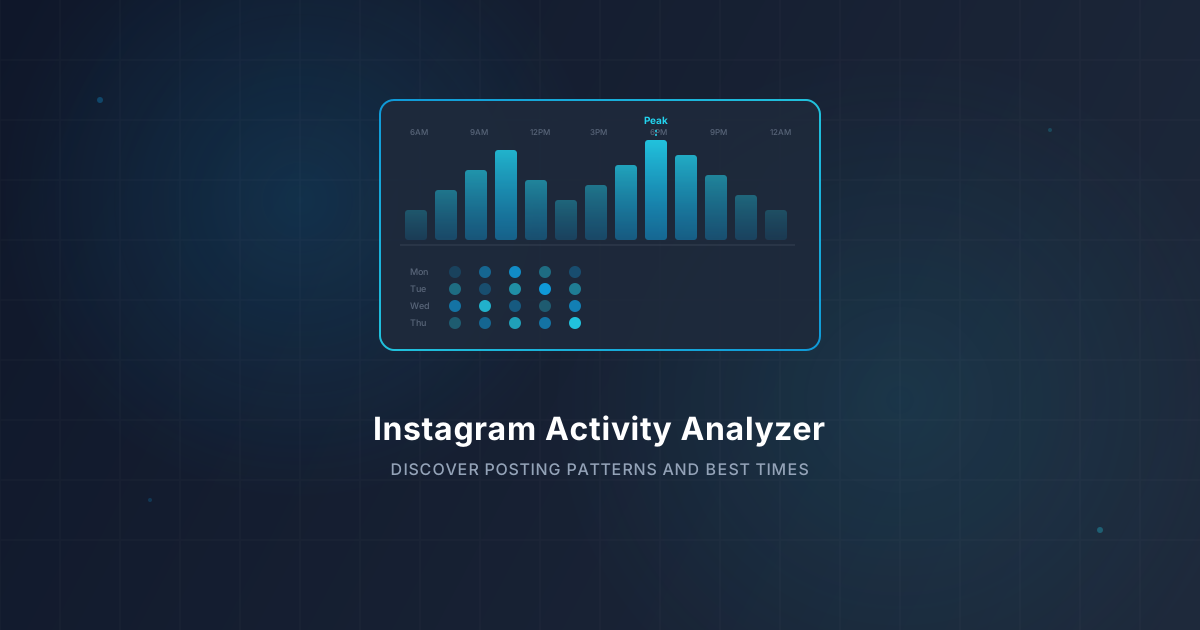
Instagram Activity Analyzer — Uncover Posting Patterns & Peak Engagement Times in 2026
Discover how to analyze Instagram posting patterns, find peak engagement times, and optimize your content strategy. Use IGStoryPeek's free activity analyzer for instant insights.
TikTok Content Strategy — The Viral Formula That Works in 2026
Learn the TikTok content strategy that drives viral growth in 2026. Master hook-body-CTA structure, optimal posting times, content pillars, and trend-riding with IGStoryPeek's free tools.